How to Choose Warehouse Picking Carts
Say you signed off on a picking cart because the listing read 24 by 38 by 40 inches. That matched the sketch your lead made of the shelf, the cart sat inside the budget line, and the name said order picker. Then the cart comes back from aisle 12 with a scuffed handle and a tote riding two inches past the deck edge.
The cart isn't defective. The plan treated a product title as travel clearance.
Before you compare models, answer a smaller question. Will one cart carry your actual order mix through your tightest route without mixing orders? That question has a measurable answer, and it fits on one page. Choosing among warehouse picking carts gets easier once the page is filled in.
Table of Contents
- Match Orders Totes and Route Before You Buy
- Audit One Representative Picking Route
- Measure the Loaded Footprint Including Handles
- Assign Each Order One Visible Location
- Walk the Route Before Approval
- Picking Cart Questions Answered
- Order the Cart Configuration That Fits
Match Orders Totes and Route Before You Buy
Four facts decide whether a cart earns its space on your floor. They are how many orders ride at once, how much deck the totes consume, how much room the loaded cart needs in the aisle, and whether every order stays visible to the picker. Only the last one is about picking quality. The rest is geometry, and geometry is where these purchases go wrong.
Run the six checks below against one real batch. Write pass or fail on every row before you look at a single model.
| Check | Record this | Fail sign |
|---|---|---|
| Simultaneous orders | Orders per trip and one dedicated location for each | Two orders share a tote or a label is hidden |
| Tote footprint | Outside length, width, and height of the totes that will ride | Totes overhang the deck or block the handle |
| Overall cart envelope | Full length, width, and height including handles and overhang | Loaded cart is longer, wider, or taller than the aisle, turn, or parking space allows |
| Route envelope | Narrowest doorway, turn, threshold, and packout parking space | The loaded cart cannot turn or park without blocking the aisle |
| Containment and labels | Smallest parts and which face shows the order ID | Parts can spill or the picker cannot read the order |
| Rating and included parts | Documented rating for the selected model and what that configuration includes | A rating or accessory is copied from a different Metro cart |
The rows don't carry equal weight. Simultaneous orders set how many separate homes the cart needs. Tote footprint sets deck demand, and deck space is always smaller than aisle space. Route clearance uses the full cart envelope, handles and overhang included, which is exactly where nominal sizes mislead.
Take the Metro CR243840-PC Picking Cart, 24 x 38 x 40 as the worked example. The Metro CR243840-PC listing is the configuration to confirm against your batch, not proof of stock, price, or which components arrive in the box.
The rule that saves the trip: the number of readable locations caps how many orders ride, before any weight discussion starts.
Clean order data makes the count trustworthy. Duplicate SKUs and messy item records inflate the number of distinct orders long before a batch reaches the floor, and the order data quality guide for distributors covers how to catch that upstream.
If your smallest parts need bins rather than totes, the plastic shelf bin sizes chart gives widths and fits so deck space stops being a guess. For the wider picture of how carts sit next to trucks, conveyors, and shelving, read the material handling equipment guide. It compares equipment families and won't tell you whether your cart clears aisle 12. Everything after this point is measurement, not shopping.
Audit One Representative Picking Route
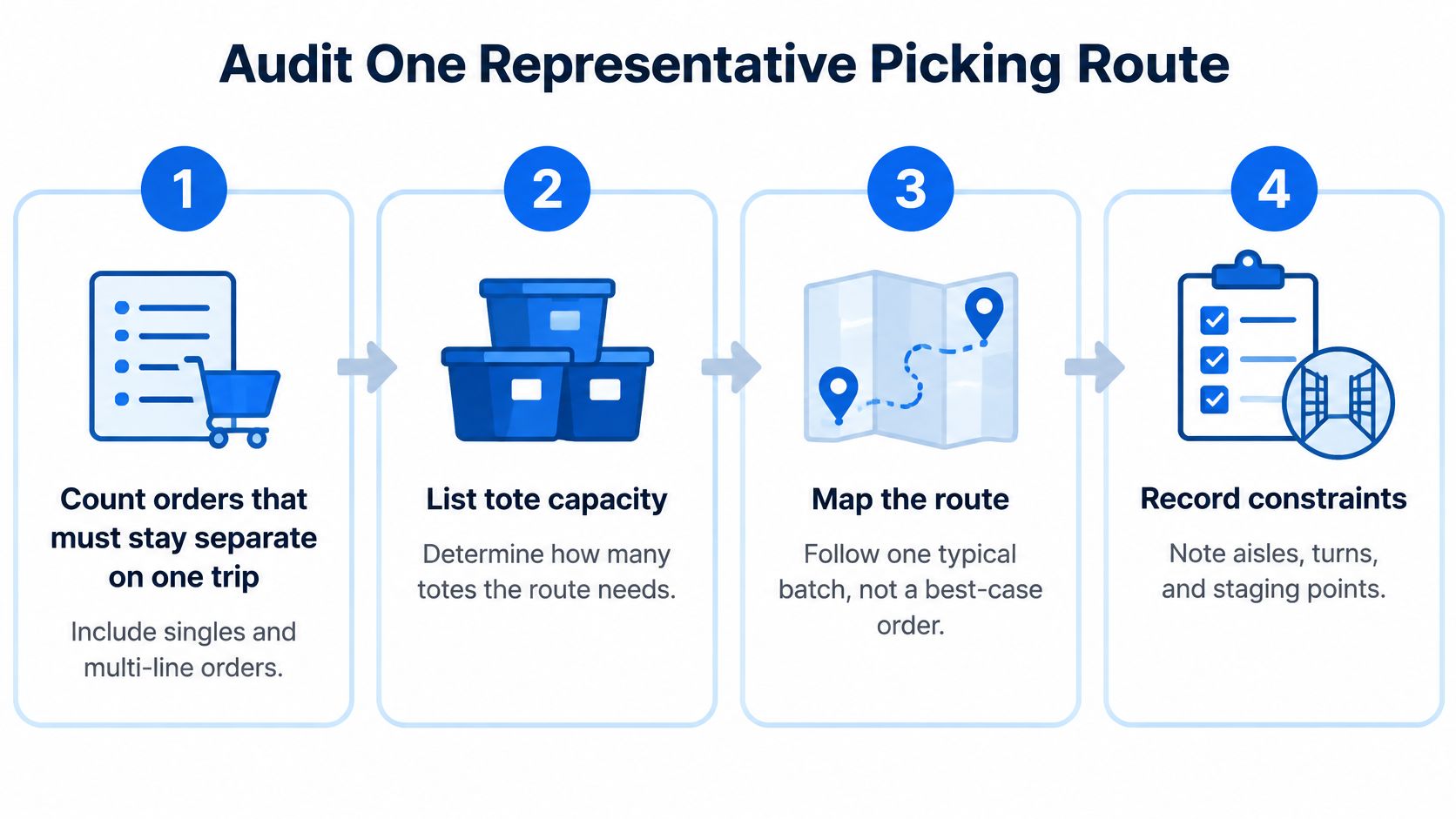
A routine Tuesday batch provides a better test than an unusually small order. Use one that includes the order mix, tote sizes, and handoff your team typically handles.
- Count orders that must stay separate. Count singles and multi-line orders alike. Each needs its own labeled location. A batch of nine orders means nine order identities, even if two contain only one item each.
- List the totes you already own. Record the outside length, width, and height of each tote size in rotation. Note items that will not fit in a tote. A 40-inch carton or fragile fixture can change the shelf arrangement.
- Find replenishment encounters. At each stock face restocked during a batch, note whether the picker sets down a container, adds one, or waits. Each choice affects the route or the space available on the cart.
- Mark the final handoff. Record whether the cart goes to a pack station, consolidation lane, or dock staging area. The cart must fit where it parks, as well as along the route.
- Write down the narrowest point in inches. Include the approach to the handoff, not just the doorway. The tightest turn or aisle can limit the loaded cart.
Order count and line count measure different things. Three small orders need three labeled locations. One large order may fill two totes but still represents one order. A batch with both small hardware and a long item tests whether the planned shelf layout can handle both.
Travel can take a substantial share of picking time. If a router or WMS sets the pick sequence, Waymap's route optimization approach describes route sequencing. Confirm that the loaded cart can follow the selected path, including its turns and handoff approach.
Use the order count, tote list, and route measurements together when checking cart fit. The Carts & Trucks category includes cart options to compare against those requirements.
Measure the Loaded Footprint Including Handles
The store title says 24 by 38 by 40 inches. The manufacturer's documentation for that exact model lists an overall footprint of 26 x 44.5 x 45.75 inches. Both numbers describe the same cart, and only one of them describes the space it takes to move.
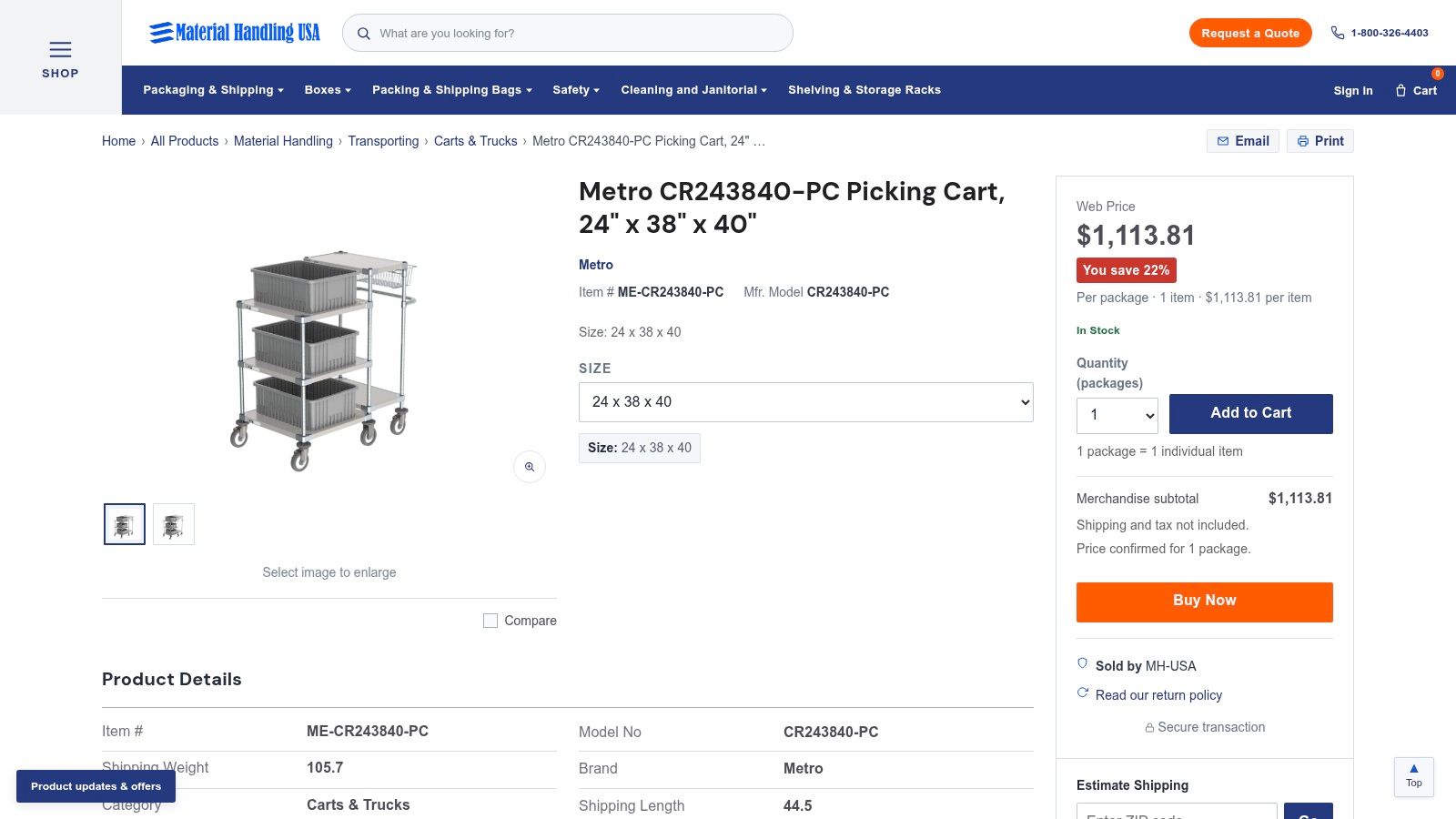
The gap of two inches in width, six and a half in length, and almost six in height is normal. Handles, frame, and wheel stance add inches that never show up in a shelf label. Seat a tote that overhangs the deck and the envelope grows again.
Treat those overall inches as documentation for the CR243840-PC only. Don't transfer them to another Metro cart, and don't assume a similar model shares them.
| Measure | Use it for |
|---|---|
| Store title (nominal) | Product naming only, not travel clearance |
| Manufacturer overall footprint | Overall cart size for this model only |
| Loaded envelope with totes and handles | Measure on the selected cart before approval |
Three envelopes to write down in inches
- Empty cart. Overall length, width, and height as delivered, measured on your floor rather than copied from the page.
- Cart with totes seated. The same three dimensions with your planned totes in place, including any lip past the shelf edge.
- Turning box. The space the loaded cart sweeps at the tightest corner. A doorway width alone won't tell you this, because the cart needs room for the swing.
The common mistake: planning aisle and doorway clearance from 24 by 38 by 40. That's the shelf label. The cart you push is bigger, and the cart you push loaded is bigger still.
The documented CR243840-PC arrangement is three totes, two solid shelves, and a basket. Confirm that arrangement, and which tier each part sits on, against the listing you order. Don't read a rating, a caster size, or a tote count into it that the page doesn't state.
If the published overall size and the cart that arrives disagree, stop and confirm the variant before anyone loads it.
Assign Each Order One Visible Location
The count that matters happens after the totes are seated.
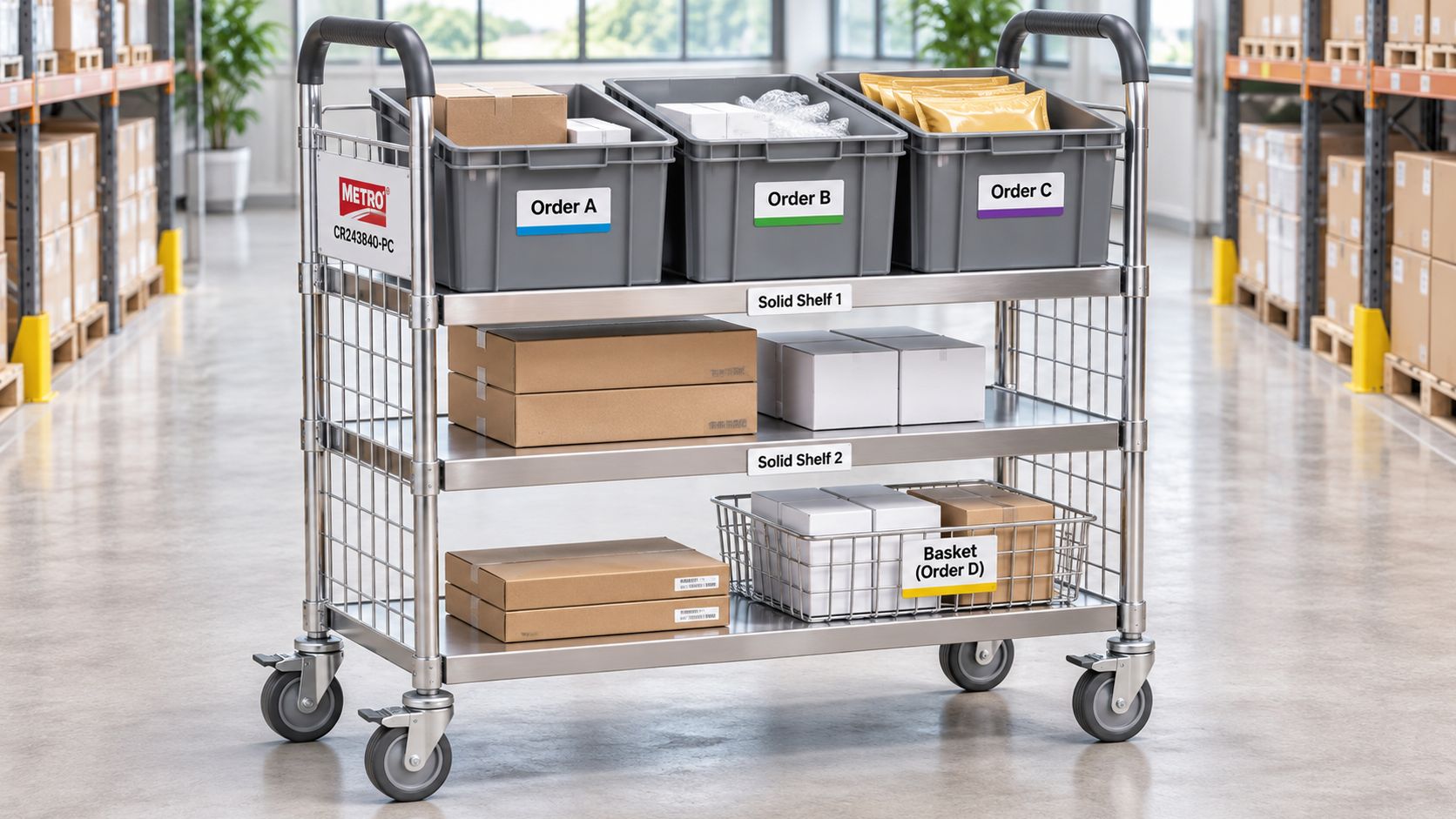
Walk the batch sheet against the cart and ask how many orders can each keep a separate, readable location. If the answer is fewer than the number of orders on the sheet, the batch is too big for that trip.
Map a four-order batch onto the documented three-tote, two-shelf, and basket arrangement once you confirm it. This map is conceptual, not something the cart ships with. Tote A holds order 1041, tote B holds 1042, tote C holds 1043, and the basket is the exception hold. Order 1044 waits for the next trip because no open location remains.
The temptation is to double up when weight allows. Resist it. Two orders sharing a tote is a mispick waiting on a tired picker at 3 p.m., and a label tucked under a tote is invisible exactly when someone needs it. Put each order ID on the face the picker sees, readable without lifting the tote.
OSHA's warehousing guidance recommends keeping tote weights under 35 pounds and placing frequently picked items near standing elbow height (OSHA warehousing hazards and solutions). Apply that to the layout: dense small parts in the totes you reach easily, heavier picks staged where nobody lifts them overhead.
Separate the short line, not the order
Incomplete orders cause most of the mixing. When a line is short, don't drop it into a neighbor's tote to keep the batch moving. Park it in the basket under the same order ID until the line arrives or the order closes short at packout. The basket has one job, exception hold, and it isn't a second home for a live order.
| Location | Best for | Limit | Label and access |
|---|---|---|---|
| Three open totes | One order of small parts per tote | Long items and parts that can jump the rim | Order ID on the face the picker sees |
| Two solid shelves | Flat staging, bags, or paperwork that need a deck | No side walls, so loose parts can slide | Leave reach room so the lower shelf stays usable |
| Basket | Incomplete lines or one item that will not fit a tote | Not a second home for a live order | Mark as exception only and keep the same order ID |
Open totes hold loose small parts and rule out long items. A piece that projects into the aisle does not ride this cart on this route, however light it is. Solid shelves stage flat goods, bags, and paperwork, but with no side walls a bag of fasteners slides on the first turn.
Test your existing totes by seating an empty one on the deck, then check overhang, label sightline, and handle clearance. A shelf opening on a different cart proves nothing. If your containers are the constraint, compare storage containers and bins before you change carts.
The cart includes no tracking system, scanner, or software. Order identity is a label and a habit. For the storage around the pick face, the warehouse shelving guide covers the wider layout.
Clean location discipline in motion comes from a picker who keeps each order in its own container.
Walk the Route Before Approval
Approval belongs on the route, not in the catalog.
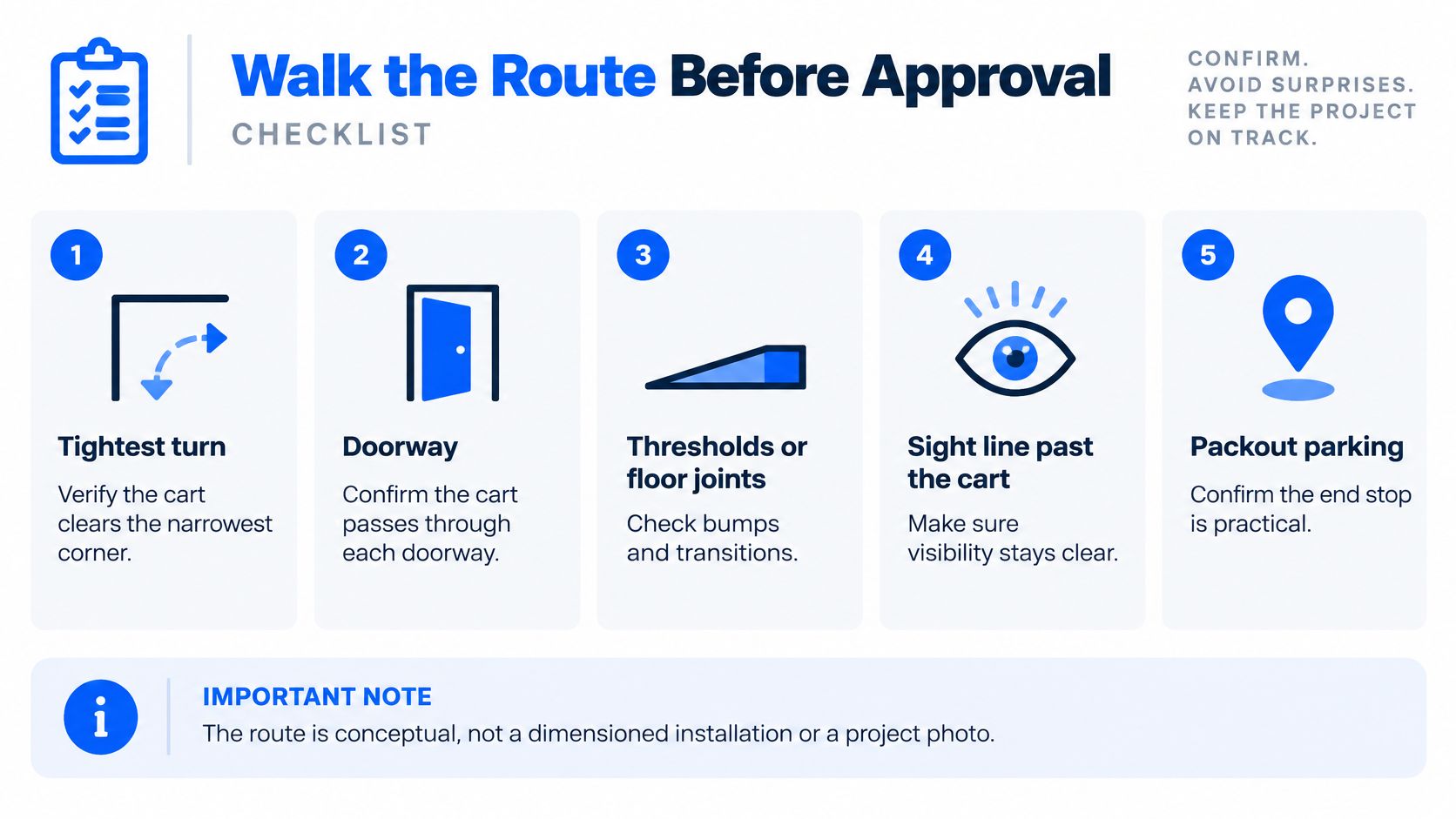
- Tightest turn. The loaded cart either sweeps it without touching rack uprights or it doesn't. Watch the handle end, because that clips first.
- Each doorway. Include the frame and anything mounted on the wall beside it.
- Thresholds and floor joints. A cart that rolls easily on sealed concrete can stop dead on a dock plate or a raised joint.
- Sight line past the load. If the picker can't see ahead over or around the cart, the walk fails even when the weight is fine.
- A parking spot that doesn't block the aisle. The cart has to sit somewhere while totes come off.
- The packout handoff. Totes come off here, so the approach matters as much as the stop.
CCOHS treats route, floor condition, load, handles, and effort as one combined problem (CCOHS pushing and pulling guidance). That's why a cart can pass a straight-run test and fail a ninety degree turn onto a plate.
Push rather than pull where the aisle allows, and keep the load low enough to see over. OSHA's material handling guidance puts handles in the worker's power zone, sized for a full hand, and warns against stacking loads above eye level (OSHA pushing and pulling). None of that sets a safe weight for your cart. Capacity ratings and route limits are separate questions, and only the rating documentation for your model answers the first one.
Redo, not rejection: a failed walk means change one variable, not that the model is wrong for every warehouse.
Change the order count, hold the long item for a second trip, or pick a different cart. Keep any route sketch labeled conceptual, and keep the numbers you measured.
Picking Cart Questions Answered
How many orders should one cart carry? As many as keep a separate, readable location once the totes are seated. On the CR243840-PC, that depends on the three-tote, two-shelf, and basket arrangement you confirm on the selected listing.
Are the title dimensions the cart's overall dimensions? No. The store title of 24 x 38 x 40 inches is nominal. The manufacturer's documentation for that exact model lists 26 x 44.5 x 45.75 inches overall, and your loaded envelope with handles and totes still needs measuring on site.
Can I use my existing totes on a picking cart? Only after an empty tote is seated on the deck and checked for overhang, label sightline, and handle clearance on your route.
How should incomplete orders be separated? Keep the short line in the basket under the same order ID, never in a neighbor tote, until the line arrives or the order closes short at packout.
What route measurements matter most? The tightest turn, the narrowest doorway and threshold, the sight line past the loaded cart, and the parking space at packout, each recorded in inches with the loaded envelope.
Order the Cart Configuration That Fits
A purchase order is the last step, not the first.
- Confirm the model and its contents. The listing should be the CR243840-PC, with included totes, two solid shelves, and basket matching the configuration you tested.
- Confirm the overall dimensions. Compare the listing against the 26 x 44.5 x 45.75 inch footprint, then recheck your loaded envelope against the route.
- Read the rating documentation. Separate a per-shelf rating from a whole-cart rating, and ask if the number you need isn't published.
- Confirm replacement parts. Replacement totes or shelves should be specified for this model. Parts from another Metro cart aren't interchangeable by default.
- Recheck the variant before quoting. A page opening is not proof of stock, price, lead time, or included accessories. A drive-through order-staging cart is a different product and not evidence for this one.
Our buying guides and planning tools exist for exactly this pre-purchase check, and if a rating or fit question needs a person, call 1-800-326-4403 or send your measurements through the Request a Quote option on the site.
Shop the verified Metro CR243840-PC picking cart and compare its full footprint with your tote layout and route measurements. If it fails a check, browse the Carts & Trucks category for another complete cart. For a route that needs a floor-level tool instead, the pallet jack guide covers that alternative.
Material Handling USA supplies industrial and warehouse products, including the carts, totes, bins, and shelving that keep a picking route moving, and we've served businesses nationwide since 1997. Our team can talk through a configuration against your order count and route measurements before you commit. Visit Material Handling USA to shop the cart, or call 1-800-326-4403 if you'd rather work through the envelope with a specialist.